
How to Properly Install Switch Covers
Posted by Pacer on 20th Apr 2026

Installing switch covers is surprisingly easy, given you have the proper know-how and tool on hand. No wiring drama required or difficult equipment removal needed, just a bit of careful prying and alignment.
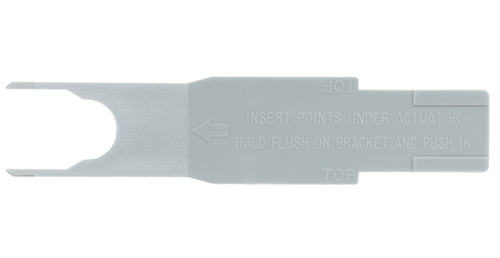
Before we begin, let's get the proper tool. We highly recommend using the Contura actuator removal tool. This tool allows for rapid switch cover installation without the risk of damage to the switch body or cover.
If you do not have access to an actuator removal tool, you can use a small flathead screwdriver. It is important to note we do not recommend using a screwdriver, as one slip-up can damage the switch body's holding clip. If that happens, you may have to replace the entire switch, so be careful.
1.
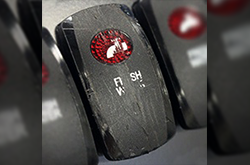
The first step in replacing a switch cover is to assess the switching action. You should make sure that the switch body is fully operational before replacing the switch cover. This means inspecting the switch for external damage and testing it to see if it is functional. This simple step can save you a lot of time and prevent you from having to revisit the job.
2.
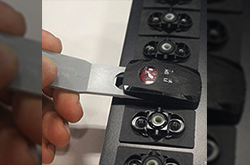
Gently slide the actuator removal tool underneath the side of the switch body that is raised. Depending on how your switch is set up, you may need to try a different side if any piece of equipment is in the way. Once you have the actuator removal tool lined up properly, place your thumb over the top of the current switch cover to hold it in place. Simply push the tool inward until the switch cover pops off. Your thumb will actually prevent the switch cover from flying off, as once the tool releases the switch cover, it tends to pop off with enough force to travel a few feet.
3.
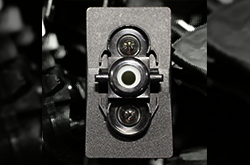
Before installing the new cover, take a moment to inspect the exposed face of the switch body. You are looking for not only physical damage but also a form of debris or buildup that may have found its way under the switch cover. After removing any debris or buildup, you are ready to install the new switch cover.
4.
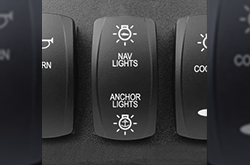
Make sure to align the Contura switch cover in the correct vertical position so that the text is easily readable. The next step is to simply press down in the center of the switch cover. It should not require much force to get the switch cover to snap into place. You should hear and feel a simple clicking for each side of the switch cover. You may need to apply pressure to either side where the switch cover pivots. If installing multiple switch covers at once, make sure to replace each cover one at a time. This will prevent accidental misidentification of a switch's function.
5.
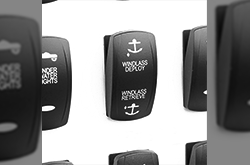
The last step is the easiest, and it only involves testing the switch with the new cover installed. You are looking for three main things. Does the cover stay firmly attached? Does it move smoothly? Does it feel free of binding or over-tightness? If you answered yes to all three, then you are good to go.
And that's it. Installing switch covers is one of the easiest and fastest jobs you can do to enhance your boat. Now that we are done, we will leave you with a few tips in case you run into any trouble.
Pro Tips:
- If it doesn’t snap on easily, stop and realign rather than forcing it.
- Avoid metal tools directly on the plastic face to prevent cosmetic damage.
- If you’re working in a tight helm panel, a plastic trim tool gives you more control and less risk of scarring nearby surfaces.